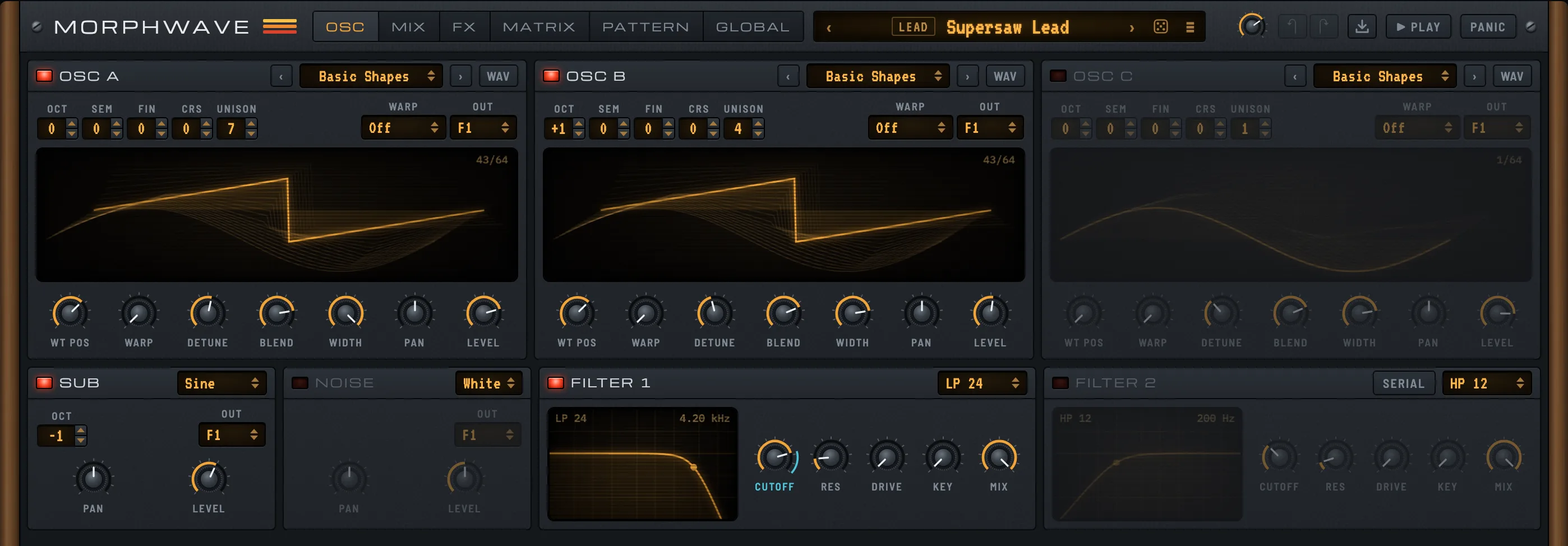
OSC: build the tone
Three wavetable oscillators, a sub and a noise source feed two filters. Each oscillator has its own warp mode, unison and stereo width.
A wavetable synth with three oscillators, ten effects and a built-in sequencer. VST3, Audio Unit, or right in your browser.
Or press A to K and play it right here.
Runs as
VST3 Audio Unit Web appA wavetable is a stack of waveforms. Move through it and the tone changes under your fingers. Play a note and drag the slider to hear it.
Click the keys, or press A to K on your keyboard.Tap the keys to play. Sound starts with your first note.
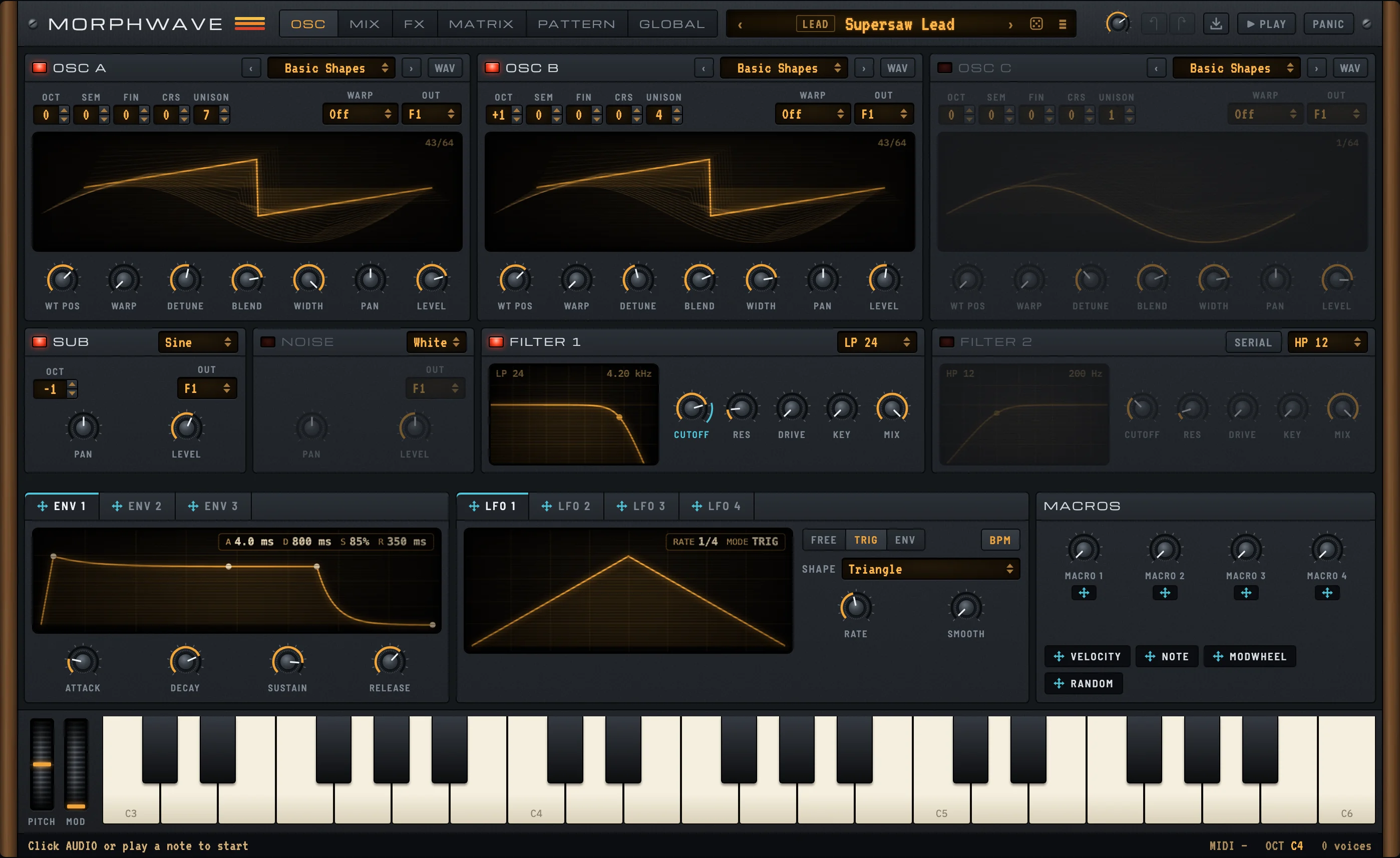
Every page shares the same modulation strip and keyboard, so you never lose your place.
Three wavetable oscillators, a sub and a noise source feed two filters. Each oscillator has its own warp mode, unison and stereo width.
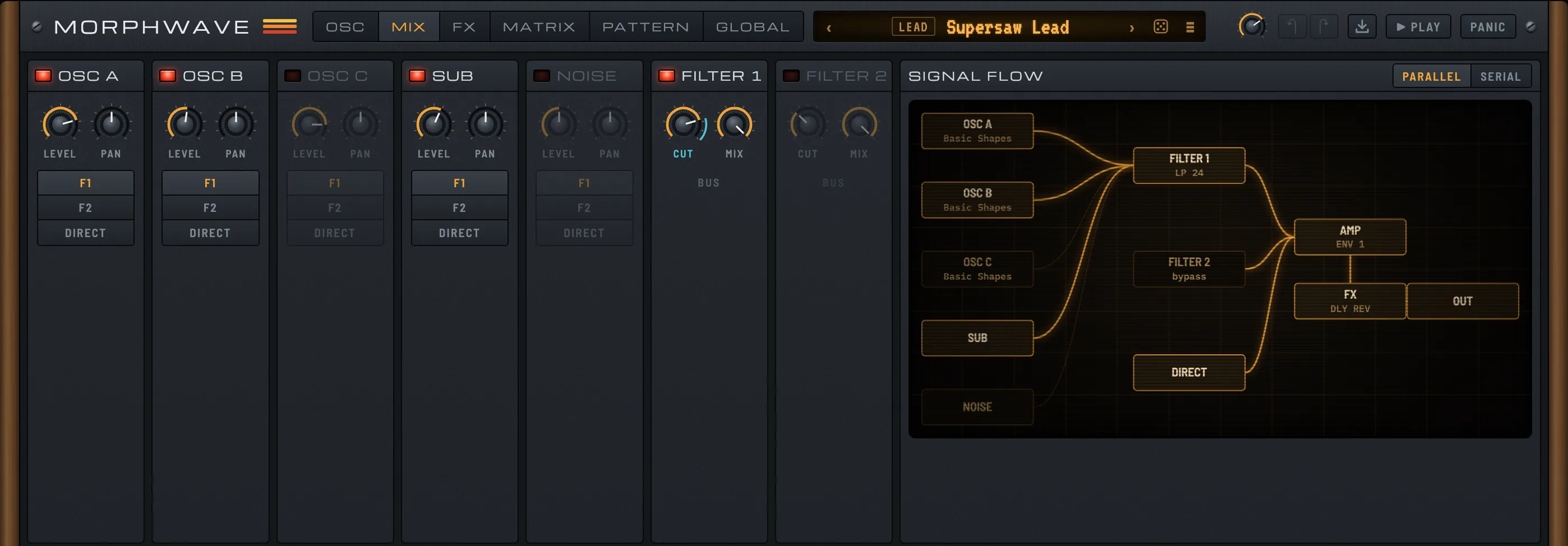
Set level and pan per source and choose where it goes: filter 1, filter 2 or direct. The diagram redraws as you change the routing.
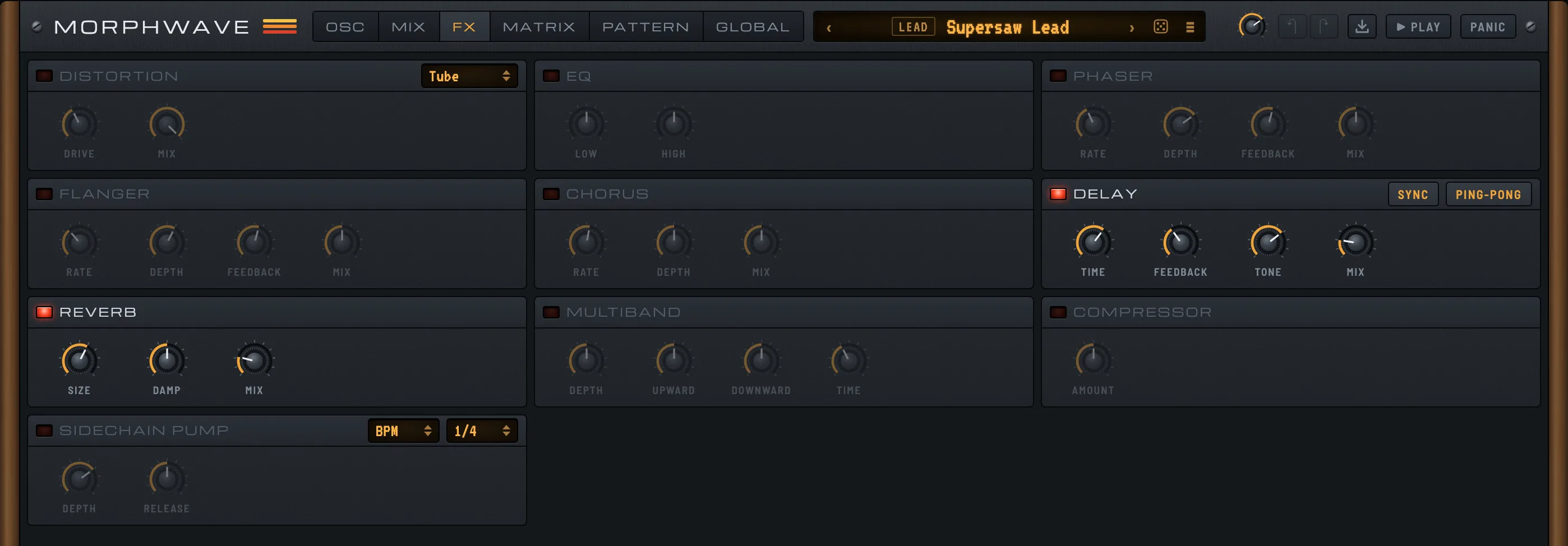
Ten effects, from tube distortion to a tempo-synced sidechain pump. Each one has its own on switch and a handful of knobs.
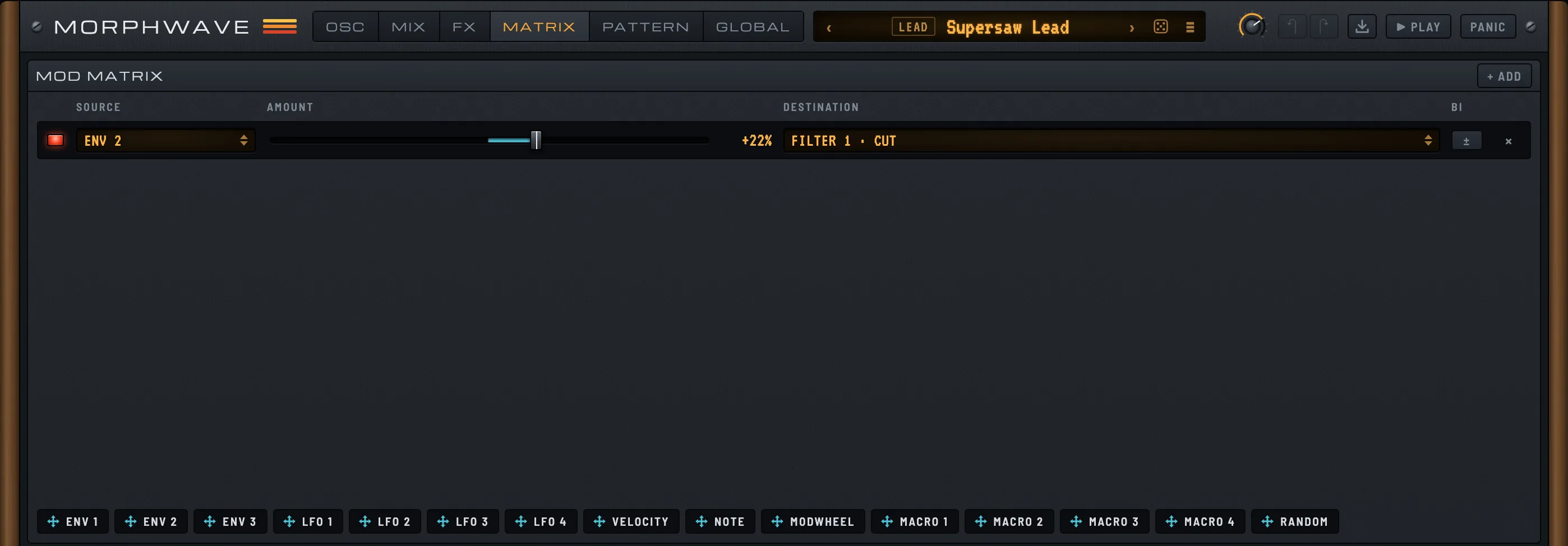
Each connection between a source and a knob is one row, with its amount and direction. Add, tune or remove them in one place.
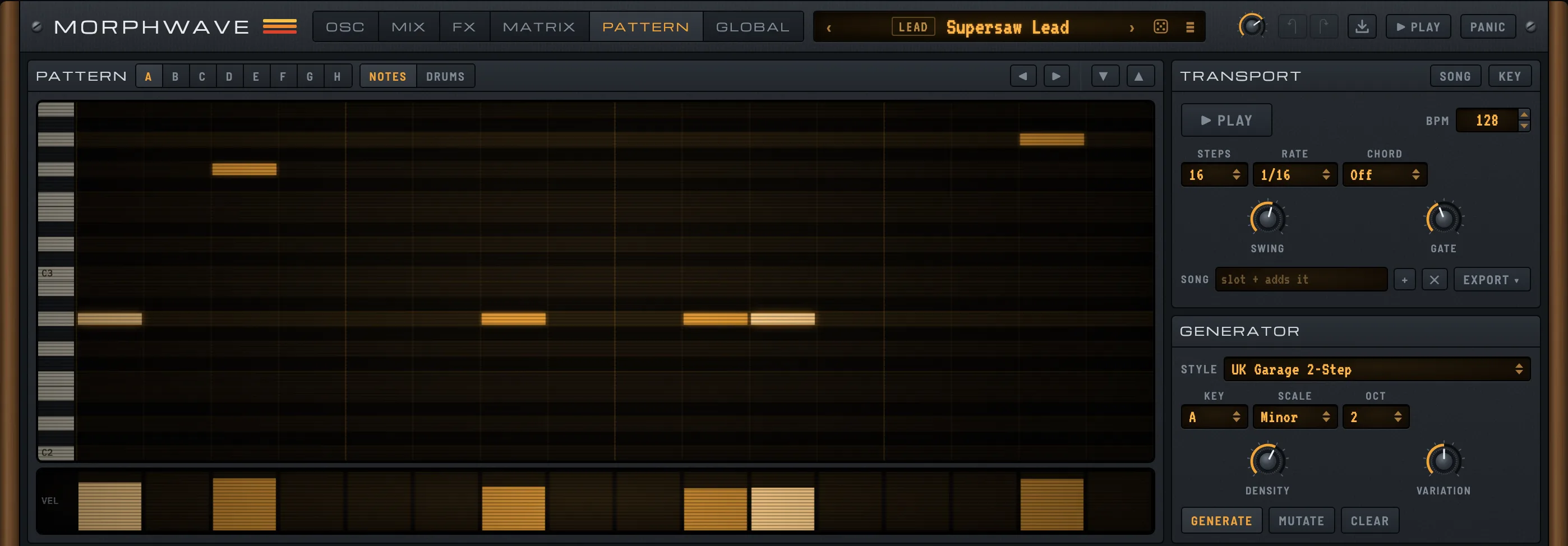
A piano roll and a drum grid with eight slots, a song mode and a generator that drafts a pattern in the style you pick.
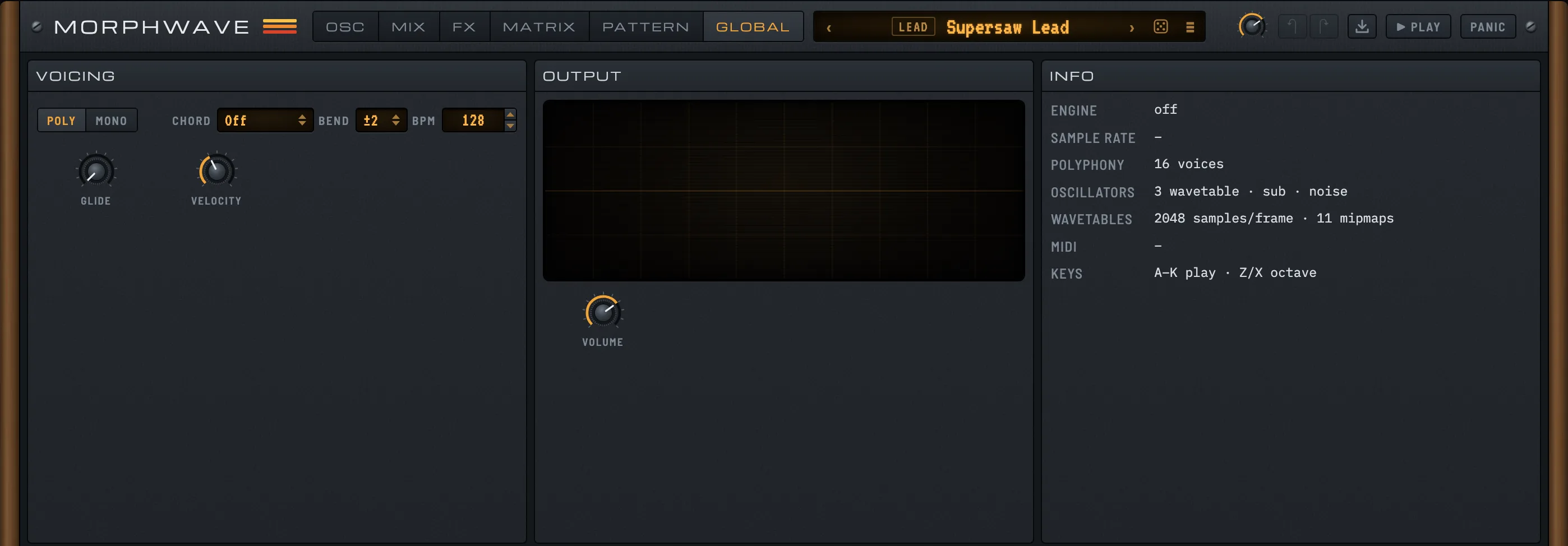
Switch between poly and mono, set glide, chord mode and bend range, and watch the output on a scope. Up to 16 voices.
Swipe the screenshot or tap a tab to change page.
Oscillators, filters and modulation are laid out in the order the signal flows through them.
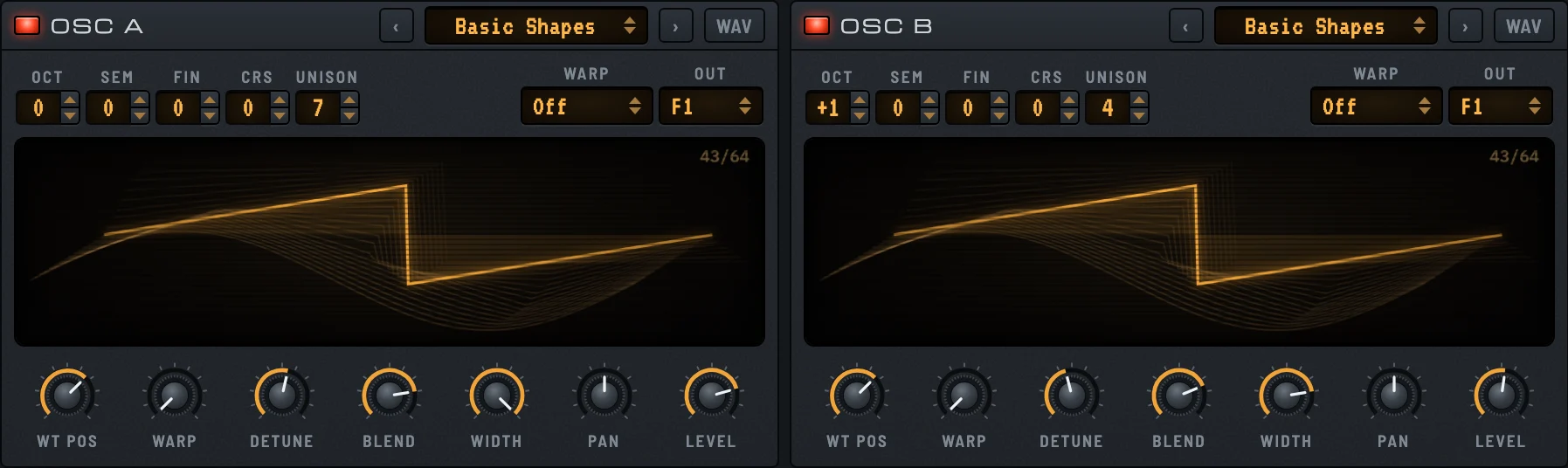
Each with its own table, warp mode, unison, detune and stereo width. Add a sub and a noise source underneath.
One click gives you a new sound from a random category. Shift-click for a small variation of the one you have.
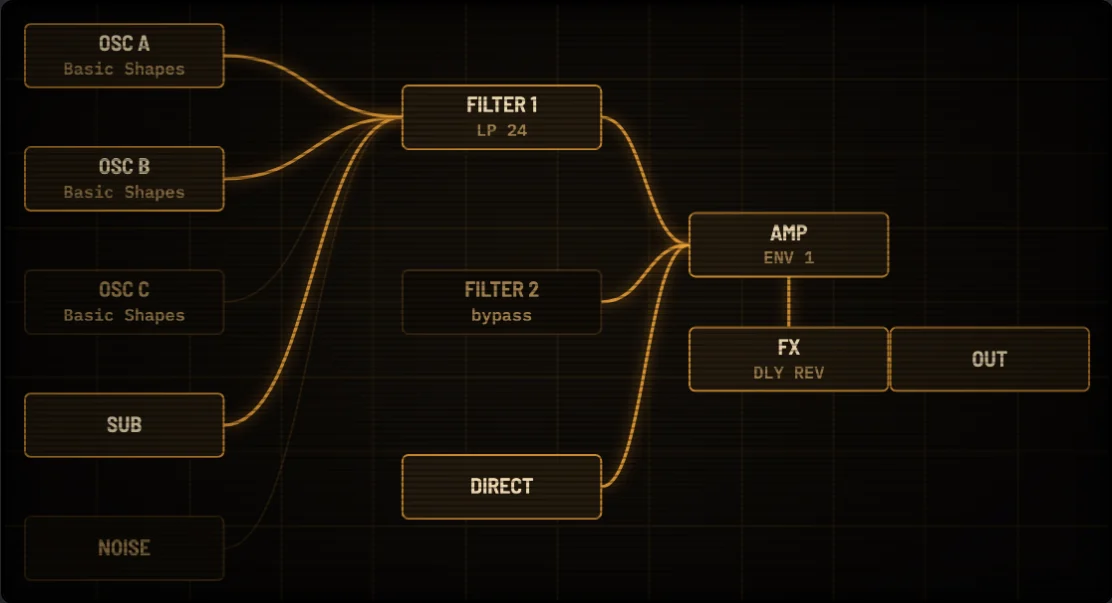
Send each source to filter 1, filter 2 or straight to the amp. Run the two filters in parallel or in series.
Load a .wav as a wavetable, or hand Morphwave a recording of a single note and get a playable sound back.

Three envelopes, four LFOs and four macros. Drag a source onto a knob to connect it, or draw your own LFO shape.
Pick a groove and press GENERATE, or build the beat yourself. This one is live: press PLAY and change it while it runs.
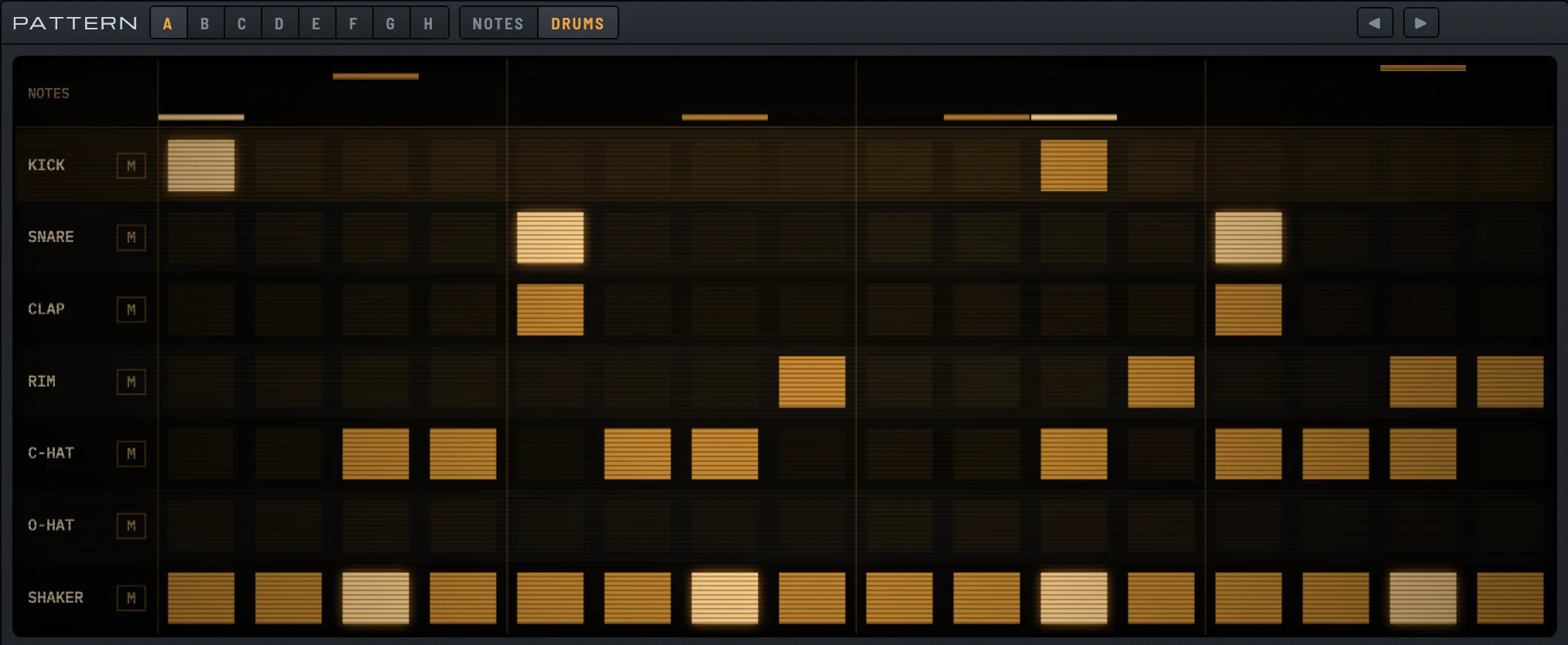
Click a cell to add or remove a hit, drag to paint, Shift-click for an accent. Click a lane name to hear it.Tap a cell for a hit, tap it again for an accent, once more to clear it. Tap a lane name to hear it.
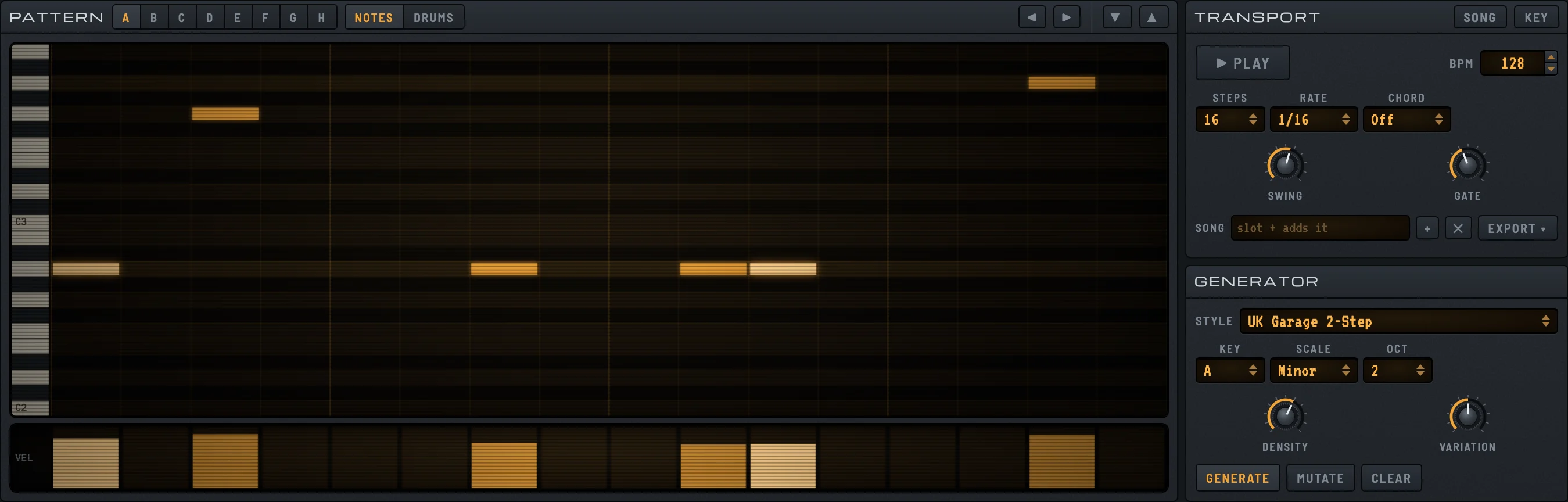
A piano roll for the synth next to the drum grid, with a generator for each.
Pattern slots A to H. Chain them into a song.
With PLAY on, the plugin follows the tempo and transport of your DAW.
Save a pattern as MIDI. The web app also exports audio and stems.
Switch on what the sound needs. Every effect knob can be automated from your DAW.
Browse by category or by genre, mark your favorites and save your own sounds next to the factory set. Export the whole library as one file.
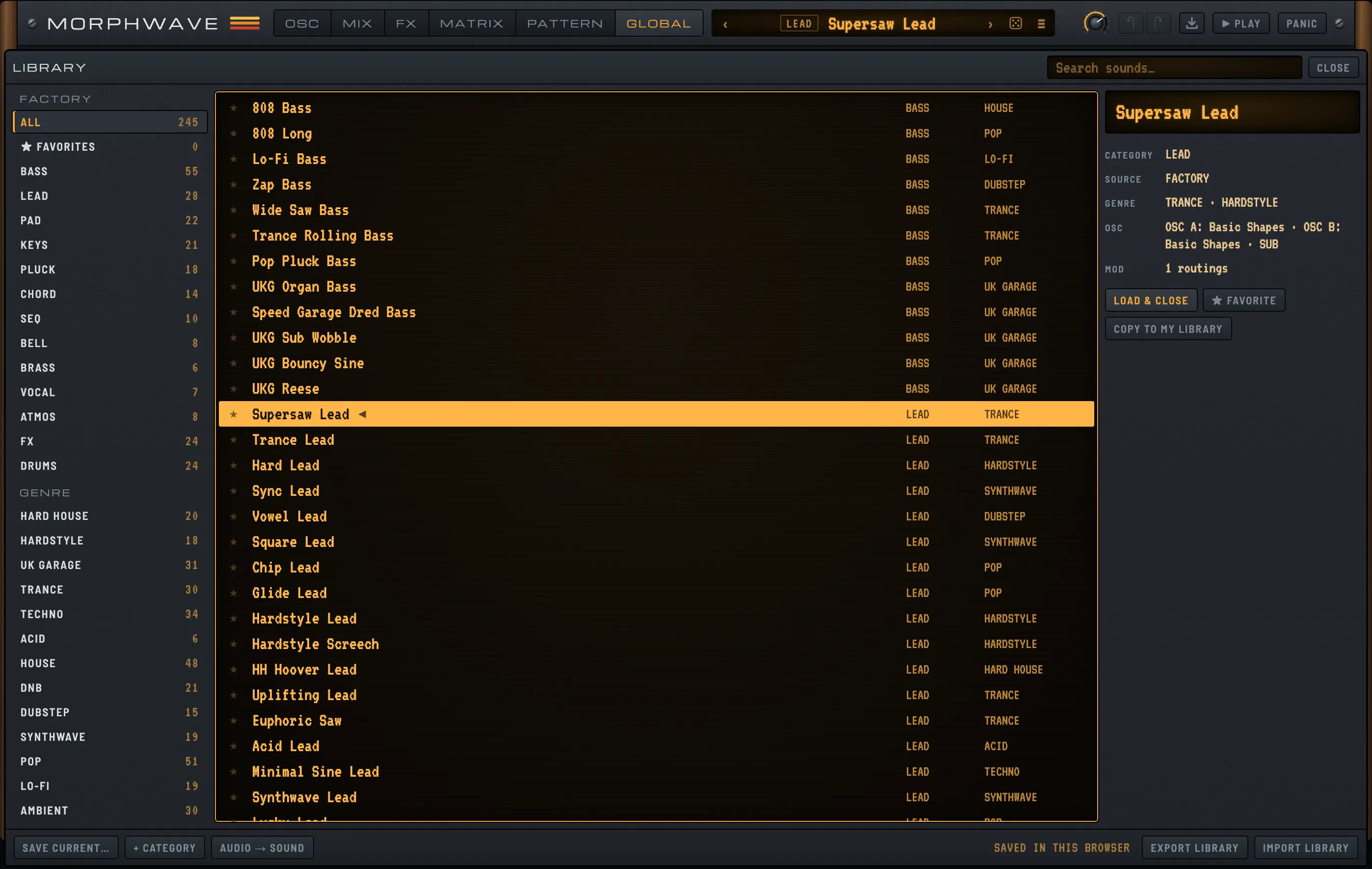
For macOS and Windows, or with nothing to install in your browser.